Shield
 Probe
 Strike
 LivStatus
 Grow
 Flow
 Pulse
 Kite
 Blink
How to report a fake profile or morphed image on Twitter
Published by Aqib Muhammed, CEO
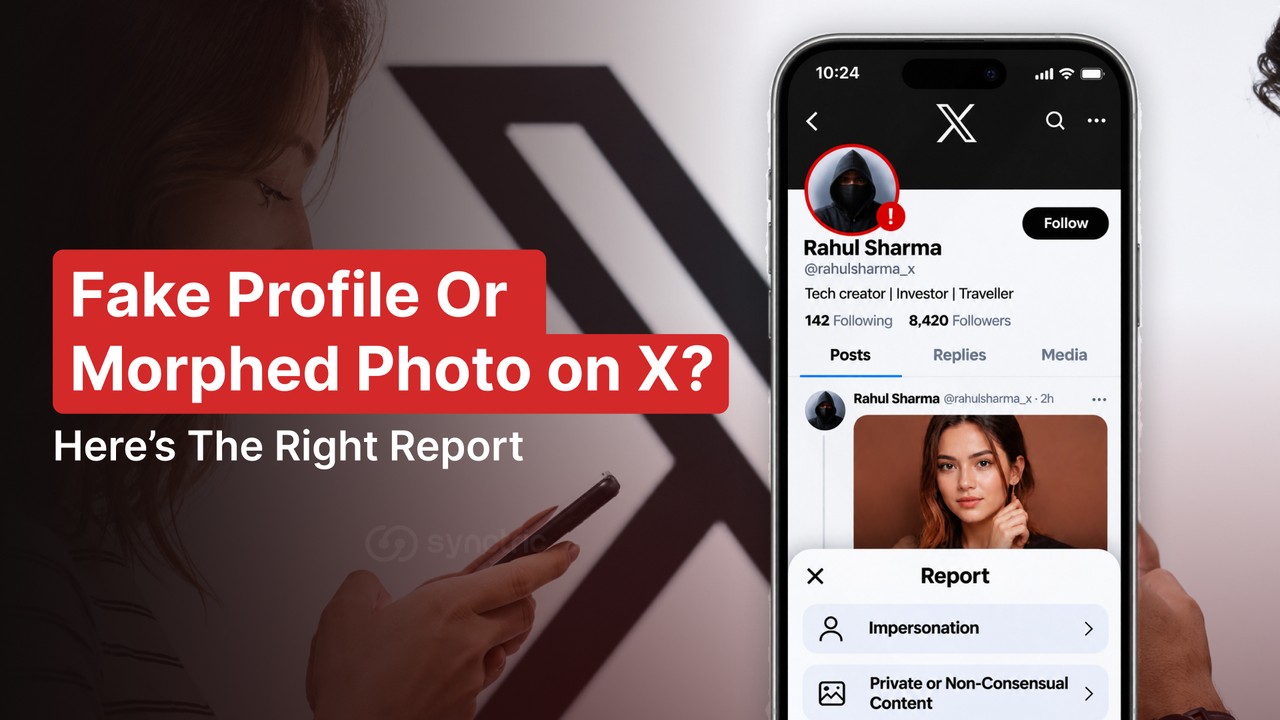
To report a fake profile, navigate to the profile, click the three dots and select "Report". Select the "Impersonation" option. If the profile is impersonating either you or your brand, make sure to fill in X's impersonation form as well. To report an edited image, navigate to the post, click the three dots and select "Report post". Then select the "Private or Non-Consensual Content" option.
You may run into issues when you report a fake profile or morphed image on X. As fake profiles and edited images have different rules, a report filed under the wrong rule can come back with no action. To prevent this, gather evidence first and make sure you report using the correct option for each issue.
What Should You Screenshot Before You Report Anything On X?
Screenshot the fake profile, every post that uses your face and any messages the account sent before you tap Report or Block. On X, both actions can shrink the evidence you're left with.
Two rules cause this. Once you report a direct message (DM) or a whole conversation, X removes it from your messages inbox. And if the fake account blocks you X only lets you attach its posts that mention you. The rest drops out of what you can send.
- The profile page, with the @handle, display name, photo and bio in one shot
- The link to each post carrying a fake or edited image (tap Share, then Copy link)
- Every DM the account sent you, with the date showing
- Any reply asking an AI tool to edit your photo, plus the reply that came back
- Your original photo, if the fake was cropped or altered from it
Before you tap Report : Write the @handle down as text too. Fake accounts can rename themselves after a report and a written note lets you match old screenshots to the new name.
How Do You Report A Fake Account On X (Twitter)?
Open the fake profile, tap the three-dot icon, select Report and choose the impersonation option. It works from the X app or x.com and you don't need to follow the account first.
- Go to the fake account's profile.
- Tap the three-dot (more) icon near the top.
- Select Report.
- Say who the report is for: Myself, Someone else or a specific group of people or Everyone on X.
- Choose the option about impersonation, add any posts X asks for and submit.
X says it acknowledges properly submitted reports within 24 hours. If it later acts on an account you reported you'll get a notification in the app though X points out that the action may not be connected to your report.
Copied on Instagram as well? The steps there differ and we've covered them in how to report a fake profile on Instagram.
How Do You Report Someone Impersonating You Or Your Brand On X?
File X's impersonation report through the Help Center on top of the in-app report. The form is meant for the person being copied or someone authorised to act for them and X says that for some accounts it needs a report from that person before it can act.
Keep the fake account's @handle and post links ready. The form can ask you to verify yourself with a government-issued ID and a selfie so use a phone or laptop with a working camera. Companies whose name or logo is being misused should report under X's trademark policy instead.
Whether X calls it impersonation depends on how much of you the account copies. Under its misleading and deceptive identities policy, a violating account uses at least two elements of someone's identity, such as their name, image or a false claim of affiliation.
What the fake account copies | How X's rules are likely to treat it |
Your name and your photo, presented as you | Impersonation. File the in-app report and the form. |
Your photo only, under someone else's name | May fall short of impersonation. Report the photo as private media or file a copyright report if you took it. |
Your name only, with nothing else in common | Allowed. X permits accounts that share a name. |
Your name, clearly labelled as parody, fan or commentary | Allowed if the name and bio say it isn't you and avoid words like "official". |
If your brand is being impersonated on several platforms, see our checklist for monitoring brand impersonation.
How Do You Report A Morphed Image On X?
Open the post with the edited image, tap the three-dot icon, select Report post and choose Private or Non-Consensual Content. Pick whether the image shows you or someone else, then submit. On a computer, X sends you to its private information report form for the same report.
Depending on what edits have been made, different policies may apply. If a real adult has been edited in a sexualised, nude or exposing way this falls under X's non-consensual nudity policy. AI-generated and deepfake content is explicitly mentioned under this policy. These posts can be reported by anyone so if someone else sees one, they can report it for you.
If the edit is non-sexual, different rules apply. If you're a private individual, it falls under X's private content policy and in general you or an authorised representative (a parent or lawyer, for example) must make the report. These rules don't apply to public figures and non-sexual satire and memes about them are permitted.
If the image was sent to you via DM, long-press it, then select "Report message".
Not sure whether an image was made with AI at all? Our guide on how to spot an AI deepfake walks through the signs.
If a child is in the image : X treats any sexualised depiction of someone under 18 as its most serious violation and sends it to a dedicated child safety team. Don't screenshot or forward the image. Copy the post link and report it straight away.
What If The Morphed Image Came From Grok?
In this case, report both the request and the edited response, choosing Private or Non-Consensual Content for each. X's non-consensual nudity policy, updated in August 2026, covers "prompting, attempting to generate, generating or sharing" this kind of content of real people using AI or other tools even when the attempt fails. So even if the edited image was never created, the person who asked for the edit has still breached X's policies.
That policy covers intimate or sexual content. A non-sexual Grok edit of a private person falls under X's private content rules instead.
What If X Won't Take Down The Fake Account Or Image?
Fix what the first report lacked, try a second route that fits and take threats or blackmail to the police. Sending the same report again rarely changes the answer.
- Check the gap. For impersonation, show at least two things the account copied, such as your name and your photo, next to your real profile.
- Use a second route. If you took the photo yourself, X's copyright form is open to you. Know that X forwards a full copy of a copyright complaint, including your name, address, phone and email, to the person who posted the image.
- Ask the people the fake account messaged to report those DMs from their own inbox. Your report can't reach messages sent to someone else.
- Go to the police or your country's official cyber-crime reporting portal if there are threats, demands for money or sexual images.
Removing a post from X doesn't clear copies saved elsewhere or showing up in search results. For that part see our guide on how to remove a photo from Google.
How Can Strike Help When Fakes Keep Coming Back?
Each report on X covers one post. Strike, a Synctric security tool, keeps watching. It runs face searches every hour, monitors your name on X and seven other platforms and uses two AI checks to flag edited or AI-made images. A reviewer approves every removal request first and Strike follows up if a site hasn't replied within 48 hours. It can't file X's impersonation report, since X needs your own ID.
Want to see where your photos show up online? Run one of your photos through Strike
Further questions on fake profiles and edited images on X
Is a blue tick a sign that an X account is genuine?
No. A blue tick simply means that the account is currently subscribed to X Premium and meets X's eligibility requirements such as having a profile picture and a confirmed phone number. As it is a paid feature it shouldn't be taken as proof that the account is genuine.
How many reports does it take to suspend an account on X?
There's no set number. If the account breaches a specific rule one clear report with evidence is better than many unclear ones. X can also restrict people who file large numbers of reports under its misuse of reporting features policy.
Can I report fake profiles on X if I am not on X?
Yes, for impersonation. X states that you don't need an X account to report an impersonation account and the impersonation form can be completed from any browser.
What if the fake account comes back after X suspends it?
Report the new account as well. X’s ban evasion policy prohibits creating new accounts to get around an earlier suspension and says this leads to permanent suspension once X detects it. Report it the same way as the first one and keep the old @handle and your earlier screenshots ready to show it’s the same person.
Should I make my posts on X private if my images continue to be copied?
Protecting your posts will help with future posts, as only people following you will be able to view them. However it won't affect images that have already been copied.
Can X tell me who made the fake account?
Not directly. X will not give out information on an account unless it is required by a valid legal process. In practice this would be a request from the police or a court. If you want to find out who made the fake account, file a complaint with the police and include the link to the account and your screenshots.