Shield
 Probe
 Strike
 LivStatus
 Grow
 Flow
 Pulse
 Kite
 Blink
How to Report a Fake Profile or Morphed Image on Instagram
Published by Aqib Muhammed, CEO
If you're trying to work out how to report a fake profile or morphed image on Instagram, the order you do things matters more than speed. Save the proof first. Then report through Instagram's in-app tools or Meta's official forms and use the separate route for intimate or AI-altered images.
This guide covers the exact taps, the forms that ask for ID and what to do when a report comes back with no action.
What Should You Save Before You Report A Fake Profile Or Morphed Image?
Capture everything before you report or block. A fake account can change its username, delete a post or block you at any point and when that happens the proof goes with it.
What to capture | Why it matters later |
A full-screen shot of the profile, showing the username, display name and bio | Shows the impersonation exactly as it looked |
The profile link (three dots, then Copy profile URL) and the date | Usernames can change, so the link and date pin the account down |
Each morphed post, Reel or Story, with its link | Stories disappear after 24 hours |
DMs and comments, including any demand for money | Proves threats or extortion |
Your original, unedited photo | Shows the morphed version was built from yours |
A short log : when you found it, who told you, what you reported and when | Gives the police a timeline from day one |
Don't block yet. Blocking hides the fake profile from you, so you can't capture anything new or check later whether it has gone. Block once your report is in.
How To Report An Instagram Account Impersonating You
Open the fake account's profile, tap the three dots, tap Report and choose the option saying the account is pretending to be someone else. Instagram then asks who it's copying : you, someone you know, a public figure or a business.
- Open the fake profile itself, not one of its posts.
- Tap the three dots menu (…) at the top right.
- Tap Report.
- Choose the account option. Depending on your app version it reads "Report account" or "Something about this account".
- Choose "They're pretending to be someone else", then pick Me, Someone I know, a public figure or a business.
- Submit. File a separate report for each fake account and for any post that uses your photos.
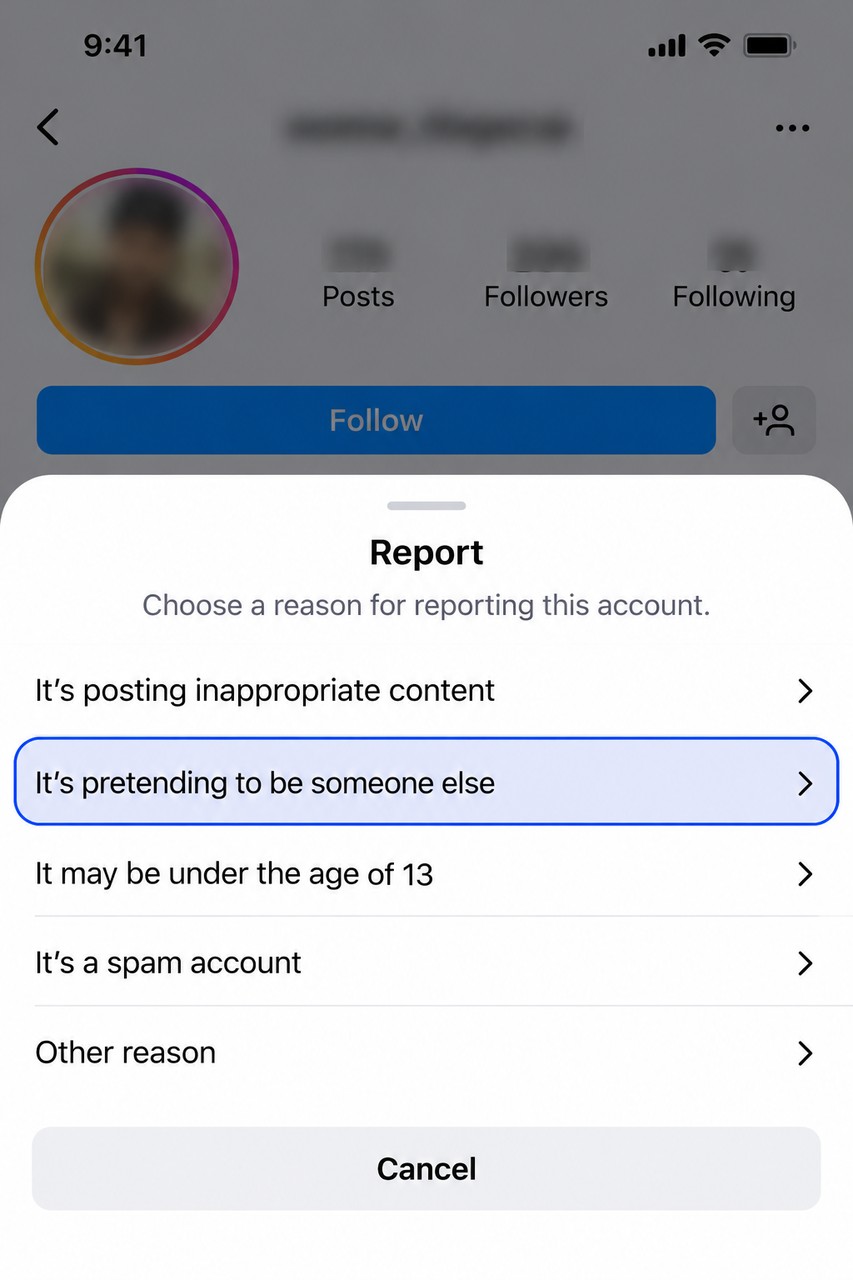 You can follow the report under Settings, then Help, then Support requests, then Reports. Instagram notes that not every report appears there and it doesn't publish a review time, so check back before filing the same report again. If the fake account has messaged your followers, ask the people it contacted to report those messages, since only the recipient can report a DM.
Can You Report a Fake Instagram Account Without Using the App or on Someone Else’s Behalf?
Yes, through Instagram's impersonation form. It covers three cases : you don't use Instagram, you can't log in or you represent the person being copied, such as your child. The form asks for your details, the fake account's username and a photo of your government ID. It takes one fake account per submission and the form states that your ID will be deleted within 30 days.
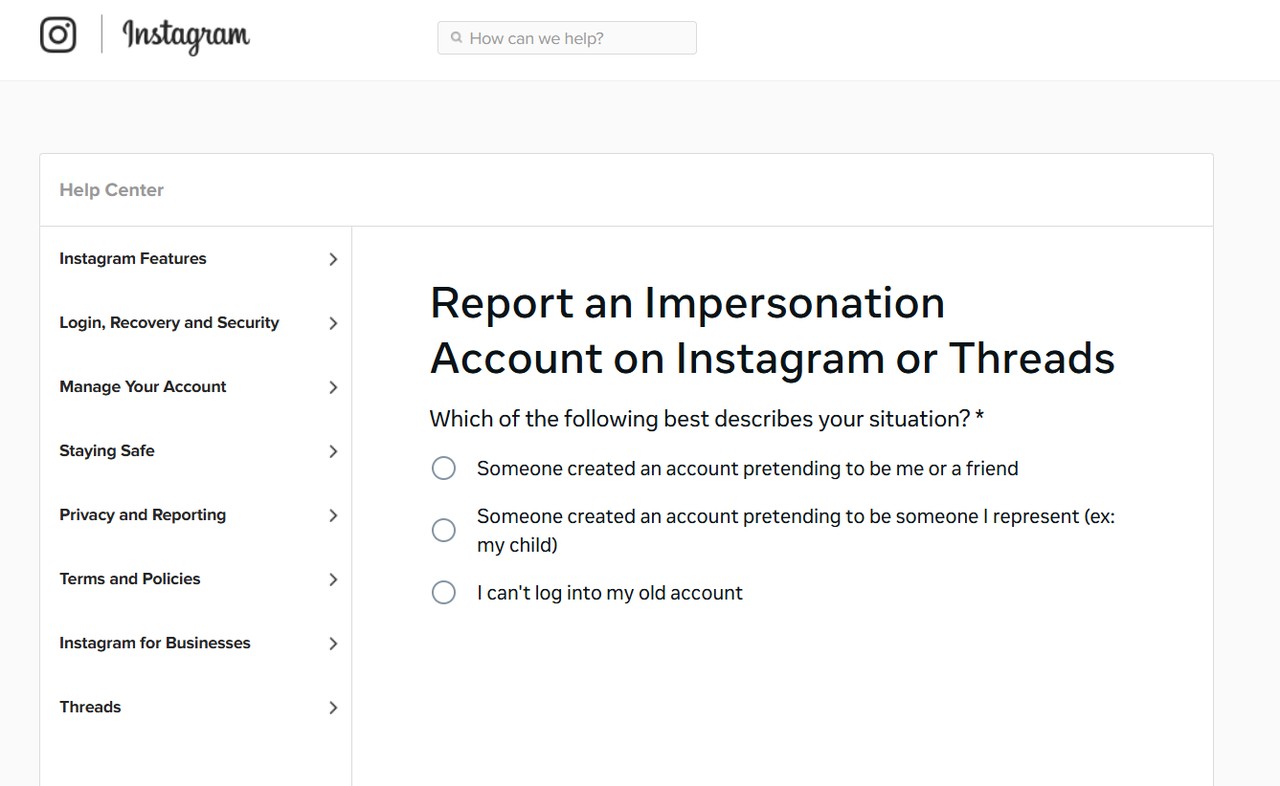
If the fake profile copies a friend, only that friend or their authorised representative can file the impersonation report. Your part is to tell them and pass on your screenshots. A repost of your photos that doesn't pretend to be you goes through Instagram's intellectual property report instead.
How Do You Report A Morphed Or AI-Edited Image On Instagram?
Report the post itself, not only the account and choose the category that matches what was done to the image. A morphed image is a real photo of you that someone has edited : your face swapped onto another body, clothing digitally removed or a new picture generated from your face with an AI app. Nude or sexual edits go under nudity or sexual activity. Edits made to mock or shame you go under bullying or harassment. If the image reached you in a DM instead of a post, press and hold the message and tap Report.
For intimate images, whether real or AI-made, Meta also runs a dedicated form for non-consensual intimate imagery and points people to two free services : StopNCII.org for adults and Take It Down for under-18s. Both turn the image into a hash, a numerical fingerprint, on your own device, so participating platforms can block matching uploads. Meta's guidance on intimate image abuse notes that the image itself never has to leave your device.
Paying won't end it. If someone threatens to share an image unless you pay or send more, don't pay and don't send anything new. Save the messages, report the account and contact the police.
Not sure whether a picture was made with AI? Our guide on how to tell whether an image or video is AI-generated covers the signs to look for.
Why Does Instagram Sometimes Leave A Reported Account Up?
Usually the report sat in the wrong category, came from someone other than the person shown or gave the reviewer nothing to go on. Volume doesn't decide it. Instagram's Help Center says the number of times something is reported doesn't determine whether it's removed. Fifty friends filing the same report add noise, not weight.
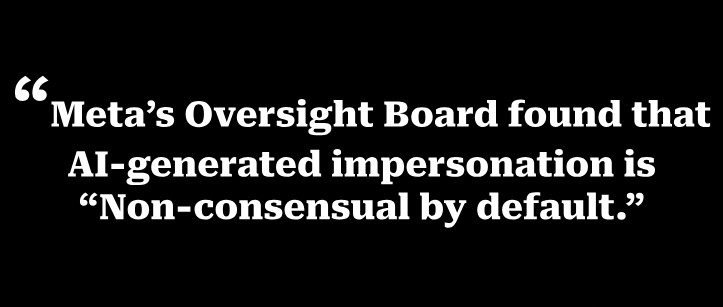
Meta's Oversight Board, the independent body that reviews Meta's moderation decisions, showed how this plays out in a June 2026 decision. An AI-generated, sexualised video of a woman had been posted on Instagram. Two users reported it and it stayed up. Meta told the Board it had no indication the woman was a real person, because she hadn't reported it herself. The Board ordered the video removed and recommended letting trusted "connected accounts", such as friends or family, report on a victim's behalf.
 Three things make one report count :
- File it yourself or through the impersonation form as the person's representative.
- Pick the closest category, not a general one such as spam.
- Where the form gives you a text box, say it plainly : "This is me, edited without my consent" or "This is an AI-generated image of me."
What Can You Do If Instagram Won't Remove A Fake Account?
Ask for a second look, refile under the right category or form and then take it outside Instagram to your country's cybercrime reporting channel or the police, with your evidence.
- Open the decision in Support requests and request a review, where Instagram offers that option.
- Refile through the matching form, impersonation or intimate image, if your first report used a general category.
- Report it to your national cybercrime portal or local police and take the screenshots, links and log you saved.
- Go to the police straight away, without waiting for Instagram, if there are threats, demands for money or anyone under 18 is involved.
Keep the old links. Hold on to the fake account's link even after it disappears. If the same person returns with a new account, the old links show a pattern and a pattern carries more weight with police than a single incident.
Why It’s High Time You Switched To Deepfake Detection Software
A fake profile may not be the only copy and checking by hand leaves three gaps. AI apps can turn one photo into new morphed versions faster than you can search for them. A reverse image search can’t tell whether an image was altered by AI. And neither step files a removal request. For copies already on Google, see our guide to removing a photo from Google search results.
Deepfake detection software is built for those gaps. It checks whether an image was generated or edited by AI and fuller tools also find where it’s posted and handle the takedown.
Strike, one of Synctric’s security tools, covers all three. It keeps up with new copies by searching for your face hourly and watching eight platforms, Instagram included, for your name. It settles whether a photo was altered : two AI systems give a verdict (authentic, likely AI or AI-generated) with a confidence score. It handles the paperwork : takedown requests and Google and Bing de-indexing requests, each approved by a trained reviewer before it’s sent. Instagram’s impersonation report still needs your ID.
Not sure whether the photo you found was edited with AI? Run it through Strike and get a verdict before you file your report.
Fake Instagram Profiles And Morphed Photos : What People Ask Next
Will the person know I reported their Instagram account?
No. Instagram keeps reports anonymous. The exception is an intellectual property report, such as a copyright claim over your photos, where Instagram shares your name and email with the person who posted the content.
Can someone make a fake account with my photos if my Instagram is private?
Yes. Your profile picture, name and bio stay visible to everyone even on a private account and any approved follower can screenshot your posts. A private account limits who sees your posts, but it doesn't stop copying, so remove followers you don't recognise.
Can I find out who is behind a fake Instagram account?
Not from Instagram, which doesn't reveal account owners to other users. Police can request account details from Meta through legal channels, which is one more reason to file a complaint. Don't message the account to ask : it warns the person and they may delete what you need.
Should I warn my followers about a fake account?
Yes, briefly. Post a Story from your real account naming the fake username and asking people not to reply, click links or send money. Type the username out instead of tagging it, so you don't send traffic its way.
How can I tell if an Instagram account is fake?
Open its profile, tap the three dots, then tap About this account. Instagram shows the date the account joined and how many times its username has changed. An account created last week, posting photos you shared years ago, is a strong sign it’s a copy and a screenshot of that page belongs in your evidence.
Should I delete my own Instagram account if someone is faking it?
No. Your real account is the clearest proof that the fake isn't you and it lets you report from inside the app as the person shown. If you need a break, make it private and limit who can message you instead of deleting it.