Shield
 Probe
 Strike
 Grow
 Flow
 Pulse
 Blink
Your Brand Is the Bait - Inside a Mobile Malware Campaign Built on a Government Identity
Published by Ketan Ramshawala
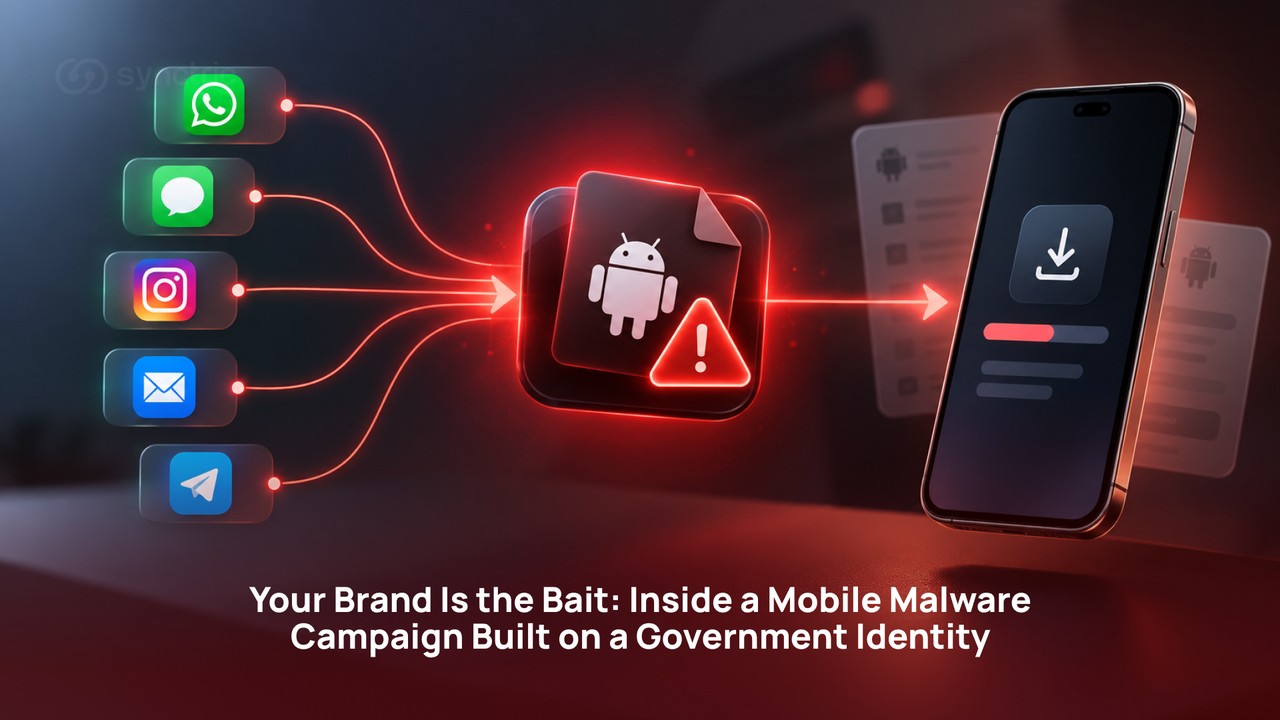
Fake government and banking apps borrow trusted names to deliver malware. See how the two-stage install works and why brand protection has to look outside.
What is brand impersonation protection and why does mobile malware count?
Brand impersonation protection is the work of finding and shutting down assets that use your organisation's name to defraud your customers.
A malicious APK, the installer file format Android itself uses, gets passed hand to hand over messaging apps. It never appears in a store listing. Nothing indexes it. Nothing scans it.
By the time you hear about it, one of your customers has already lost money.
Where your name gets used | How a someone usually finds it |
Lookalike domain | Registration feeds and certificate transparency logs |
Cloned website | Crawlers matching your logo, copy or page structure |
Fake social profile | Platform search and brand mention monitoring |
Paid ad using your name | Ad transparency tools and manual search checks |
Malicious mobile app | Almost nothing. It is never listed, indexed or crawled. |
There are several patterns running against Indian users right now.
They borrow different names and arrive through different apps. All share the same mechanism behind which we will cover in the blogs later sections.
How attackers use a brand's name to deliver malware
Below are the latest attack patterns that we sourced from many users throughout the web. The common pattern is they open by borrowing an organisation the target already trusts.
- Government service impersonation. A message claims a traffic fine against your vehicle, quotes a registration number that matches and attaches an app to view the evidence. Deccan Herald reported a Bengaluru complainant who lost 5.6 lakh rupees across two credit cards within a day of installing one. Bengaluru Traffic Police have stated publicly that they do not issue challans over WhatsApp or SMS. The fake traffic challan scam on WhatsApp is the most widely reported version of this pattern in India.
- Banking and KYC app impersonation. A bank or card issuer appears to demand an urgent update to your Know Your Customer (KYC) details. McAfee Labs documented an India focused campaign whose fake apps copied Indian financial brands and were served from phishing pages that pulled images and scripts directly from the genuine bank sites, so the counterfeit looked like the original. Some builds also mined cryptocurrency in the background.
- Clean utility apps that turn malicious later. Not everyone arrives by message. Malware can reach victims through apps published to the official Google Play Store as working utilities, then updated weeks afterwards to add the delivery code.
- Regulatory and executive impersonation beyond Android. In June 2026 India's Indian Cyber Crime Coordination Centre (I4C) warned that professionals were receiving compressed files named as account statements over WhatsApp, SMS and email, leading to messaging account takeover and high value financial fraud. The payload there was a Windows executable rather than an Android app, which shows this is not an Android only problem.
Government service, bank, utility, courier, emergency alert, regulator. The only variable is which organisation a person would not stop to question. Several of these campaigns run on the same rented toolkits, which is why a defence built around one brand's name misses the next campaign completely.
Important: Attackers do not pick a brand because it is valuable. They pick it because it is the one nobody stops to verify.
How These Apps Actually Reach People
Almost all of it arrives as a message. WhatsApp, SMS, Instagram, email and Telegram carry the same files and the payload does not change when the channel does. The channel is the variable. The borrowed name is the constant.
A delivery message that works needs three things. A reason the recipient half expects to hear from that organisation.
 A fake traffic challan notice received on WhatsApp.
A detail that looks like it could only have come from a real record, such as a correct vehicle number or the last four digits of a card. And a consequence with a deadline attached to it.

Warning: A message arriving from a known contact's real number is not evidence that the message is genuine.
How the delivery works: The Dropper & Payload mechanism
These campaigns are installed in two stages.
The first app the victim installs is not the malware. It is a small delivery app, known as a dropper, whose only job is to fetch and install the malware app behind.
Attackers split the job in two because a dropper is small, holds no alarming permissions and passes pre-install inspection easily. The payload it fetches would never pass on its own.
Splitting also lets an operator swap payloads later without rebuilding the app already sitting on the phone.
Stage 1 : The Dropper
- Opens on a fake progress screen, usually something about downloading an update.
- Checks in with a server that tells it which payload to fetch, so the payload can be changed at any time without touching the app already installed.
- Prompts repeatedly until the user allows installs from unknown sources, re checking each time the screen comes back into view.
- Downloads the payload encrypted and decrypts it as it writes to disk, so a complete malicious file never sits anywhere a scanner could catch it.
- Suppresses the phone's ability to verify the install with Google for the few seconds the install takes.
- Installs the payload, restores normal behaviour and launches it.
Droppers exploit the gap between what gets checked when an app arrives and what that app becomes afterwards. The same gap is being used on the official Play Store, where pre install inspection sees a working utility and nothing more. But these apps turn malicious later.
Stage 2 : The Payload
This is an Android trojan in the strict sense: an app that presents as one thing and does another.
It talks to an authenticated server that can hand out a new address for itself, which is why taking one domain offline does not end the operator's control of phones already infected.
What do you lose to the attacker?
- Message history rather than only new messages. The theft walks backwards through the entire message store in batches and resumes after a reboot.
- Card and payment credentials captured through a fake payment screen, including every re entry after an attempt is made to look like it failed.
- Call redirection is set through the phone network rather than on the handset, so incoming voice calls reach the operator instead of the customer.
- Outbound messages sent from the victim's own number while the phone sits locked and idle.
- Remote switches that change what the app displays after it is installed, including a fake outage screen.
For a bank, the third and first points together are the difficult ones. Message interception and call redirection cover both of the channels an Indian bank uses to verify a customer out of band.
How The Campaign Works?
The dropper raises a device wide VPN immediately before installing the payload. It forwards nothing at all. It is a black hole that cuts internet access for every app on the phone for the length of the install, which is exactly the window in which Google Play Protect would make its cloud check. Its notification tells the user the Play Store is running, so the outage reads as routine.
The payload carries remote switches that hide or show the card and UPI collection screens after installation or park the whole app behind a fake outage notice when the operator wants it quiet.
The panel behind it serves many separate customers from one codebase, each with their own credentials, with every request scoped to a customer identifier.
Every install carries a field attributing it to whichever distributor delivered it, which is an affiliate model rather than one crew's tooling.

The two stage install. Verification is suppressed only for the seconds the second app needs to land.
Why the impersonated organisation carries the damage
In every campaign above, the impersonated organisation was not breached. No system belonging to them was touched. They still absorb the consequence, because every victim's account of what happened starts with their name.
Complaints arrive at the real organisation. Support volume rises for a service that did nothing wrong. Advisories get written in defence. For a stretch of weeks the genuine app and the genuine message are treated as suspect by the people they exist to serve.
You sit in the same position. If you run a financial institution or any consumer brand, there is no breach to disclose, no incident to investigate internally and no log entry to go looking for.
There is a customer base being defrauded under your name and the first indication of this will come through your support queue. This is corporate identity theft in its most direct form: your identity, turned against your own customers.
What happens | What it costs you |
Customers defrauded in your name | Goodwill payments, disputes and complaints you did not cause |
Support and complaint volume rises | Handling time spent on an incident that is not yours |
Trust in your genuine app drops | Lower adoption of the real app and the real message channel |
You publish a defensive advisory | Public confirmation that your name is being used, on your own site |
Warning: A brand impersonation campaign produces no alert inside your own systems. Nothing you own has been touched, which is precisely why these campaigns run for so long before anyone tells you.
How to tell if your brand is being used as bait
You will not find this in your own logs. Detection has to happen outside your perimeter, in the places the fake asset actually lives and it has to reach places a normal web crawler does not go.
- Watch app stores and third party APK mirrors for your name, your logo and near miss spellings of both.
- Register and monitor lookalike domains, including free subdomain services, which are cheap, disposable and heavily used in these campaigns.
- Monitor your own support and social channels for reports describing an app you do not publish.
- Track SMS sender IDs and shortened links carrying your brand, since both are borrowed long before an app is.
- Brief frontline staff on what a customer report of this kind sounds like, because it rarely arrives labelled as a security issue.
- Keep a written escalation path for taking a confirmed fake asset to the hosting platform and to CERT-In.
What to monitor?
Surface | What to look for |
App stores and APK mirrors | Your name, logo and misspellings, unknown publishers |
Newly registered domains | Your brand in the string, including free subdomain services |
Social and messaging mentions | Customers describing an app or link you did not send |
Inbound support reports | Complaints about a payment flow you do not operate |
Ad platforms | Paid placements bidding on your brand name |
Traditional brand protection watches domains and marketplaces and it should keep doing that. None of it stops a fake app being built. What monitoring does is shorten the window between the asset going live and you knowing about it. That window is the only
Confirmed fake assets affecting Indian users should be reported to CERT-In, alongside the platform hosting them.
Where a security partner fits
A brand impersonation campaign takes money from your customers using your name and produces no intrusion, no compromised account and no log entry anywhere on your side.
That does not make it a smaller problem. It makes it one your current controls are structurally unable to detect.
Synctric Security works on both sides of that line. On the outside our products continuously monitor the surfaces where impersonation assets appear. When a sample is recovered, it gets taken apart properly.
On the inside, the same relationship covers what your controls are meant to do: testing your applications, APIs and cloud services for the weaknesses an attacker would use if they came at you directly.
If your name would make useful bait and for most regulated brands in India it would, the question worth answering is how quickly you would find out.
FAQ’s
Does brand impersonation protection require a breach to have happened?
No and that is the difficulty. In every campaign covered here the impersonated organisation was never touched. There is no intrusion to investigate and no internal alert to act on, which is why these campaigns tend to run for weeks before the organisation hears about them.
Can Google Play Protect stop a malicious app that never went near the Play Store?
Only partially. Play Protect does check apps installed from outside the store, but it checks what arrives at install time. A dropper that arrives clean and fetches its payload afterwards sits in that gap and at least one campaign suppresses the device's network access for the seconds the check would happen.
Is a fake app a legal problem or a security problem?
Both run on different clocks. Trademark and takedown work moves in weeks. The fraud moves in hours. Treating it only as a legal matter means the security response starts after most of the damage is done.
How is a fake mobile app different from a lookalike domain?
A lookalike domain is discoverable, because it has to exist somewhere a browser can reach. A malicious app is passed between people privately and never has to be listed anywhere. It also gets far more from the device once installed: messages, payment credentials and call handling, rather than whatever the victim types into one page.